Throw Food For Baddies Controls
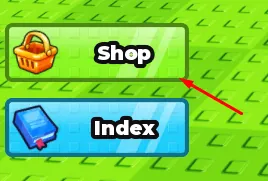
The left rail shows two buttons: Shop (a basket) and Index (a book). There is no button labeled Inventory. If you are hunting for one, you are looking for a control this HUD does not draw. Code rewards and unlocked items use the Roblox backpack. On PC the usual key is the backtick, left of the 1 key. I describe that as platform behavior.
How a throw works
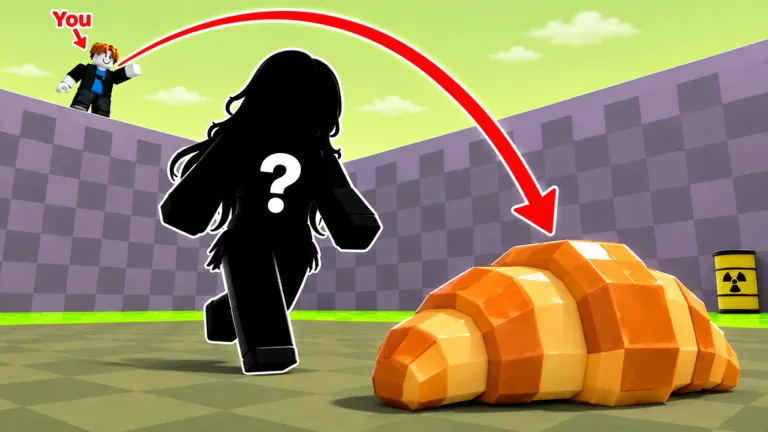
Hold, then release. The public page says to nail the PERFECT throw for extra power. Official art draws the arc and the landing spot. A 21 Nov video shows floating numbers such as 20 POWER after a throw. I read that as the power of that toss on the HUD. I do not claim the number is the PERFECT bonus by itself. The timing window is not documented.
Distance follows Throwing Strength. Train on pull-up bars, then throw again and the landing moves. The official description ties better food to rarer Baddies; it does not specify a food distance bonus. The gates people ask about are on the strength page. Lucky Throw is a separate consumable on its own page.
Auto throw
The 19 Nov beginner video has an auto switch. With it on, throws continue by themselves, and the player says the auto throw does not go as far. That is one video, dated 19 Nov 2026. I would use auto for a pen you already reach, and a manual PERFECT throw when you are trying to cross into the next area.
- Shop — basket, left rail. Codes live at the bottom of this panel.
- Index — book, left rail. The label is confirmed. The panel contents are not.
- Equip best — seen in the 21 Nov video.
- Sell — seen in the 19 Nov video for a low earner.
- Pen upgrade — the 21 Nov video hits a full pen, then upgrades it.
Questions
Where is the inventory button?
There isn't one on the HUD. Use the Roblox backpack. On PC the default key is the backtick.
What does PERFECT throw do?
The game page says it adds power. The exact timing window is not documented.
Does auto throw count as a full throw?
In a 19 Nov video the player says the auto throw does not go as far. That is one source.
Sources
- Roblox game page — checked 2026-11-23
- Roblox Den HUD crop — checked 2026-11-23
- Berlian kecil, 19 Nov 2026 — checked 2026-11-23
- FoltynPlays, 21 Nov 2026 — checked 2026-11-23